
Tablet, Laptop, or 2-in-1: Matching the Device to How You Actually Work

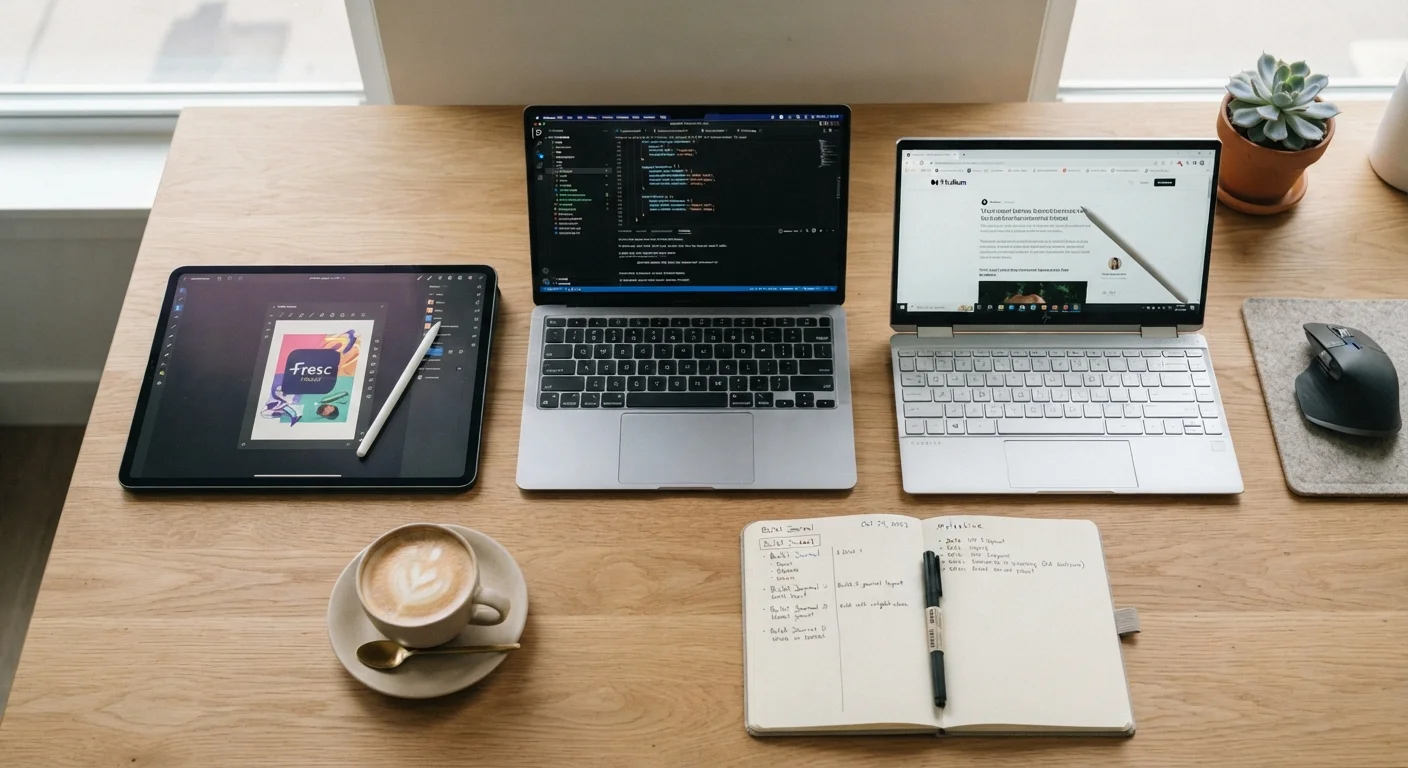
Photo: TargetReads.com | Explore Engaging Reads editorial
Key Takeaways
- Laptops remain the most capable option for sustained, keyboard-heavy work like writing or spreadsheets.
- Tablets excel at media consumption, light note-taking, and portability, but have real software limitations.
- 2-in-1s offer flexibility but often compromise on keyboard feel or battery life compared to dedicated devices.
- Your daily habits — not marketing specs — should drive the decision.
- Most people already own a device that handles 80% of their needs; a second device should fill a specific gap.
Why Form Factor Actually Matters
Choosing between a tablet, laptop, and 2-in-1 isn't really about specs — it's about workflow. A device that scores high on a benchmark chart but frustrates you every morning isn't a good device for you. Before comparing these options, it helps to think honestly about what you actually do with a computer most days.
If you're unsure whether a new device would genuinely improve your life or just feel exciting for a week, the framework in this guide to evaluating gadgets honestly is worth working through first.
With that grounding in place, here's what each form factor actually offers — and where each one falls short.
Laptops: The Workhorse Standard
A traditional laptop — clamshell design, physical keyboard, trackpad — remains the most versatile tool for sustained productivity. If your days involve extended writing, spreadsheet work, coding, video editing, or navigating complex software, no other form factor keeps up as consistently.
The keyboard experience matters more than people admit. Typing for 30 minutes on a quality laptop keyboard is fundamentally different from typing on a touch screen or a thin detachable keyboard cover. For anyone producing a high volume of text regularly, this difference is real and cumulative.
Laptops also tend to support the widest range of software — including professional desktop applications that have no tablet equivalent. They handle multitasking (multiple windows, external monitors, peripheral devices) more naturally than tablets do.
Limitations: They're heavier and bulkier than tablets. Using one comfortably in a lap on public transit or in a cramped seat requires more effort. Battery life varies widely depending on the model.
Try Before You Commit to a Keyboard
Tablets: Purpose-Built for Consumption
Tablets are genuinely excellent at a specific cluster of tasks: reading articles and ebooks, streaming video, browsing the web, video calls, and light note-taking. Their touchscreen interface and slim profile make them easy to pick up, hold for long periods, and carry without a bag.
If you use a device primarily in the evenings — catching up on reading, watching content, reviewing documents — a tablet fits that pattern well. Students who annotate PDFs or sketch diagrams also find tablets with stylus support particularly useful.
Where tablets fall down is in sustained creation. Most tablet operating systems are optimized for single-app or split-view use, not the kind of complex multitasking many workflows require. File management, connecting peripherals, and running professional-grade software can all be awkward. Pairing a tablet with a good note-taking app can extend its usefulness significantly, but it still won't replace a laptop for heavy workloads.
Limitations: Software limitations are real, not just theoretical. Many professional tools either don't exist on tablet platforms or offer reduced functionality.
| Laptop | Tablet | 2-in-1 | |
|---|---|---|---|
| Typing comfort | Excellent — full keyboard | Poor — touchscreen only (without accessory) | Good to moderate — varies by design |
| Portability | Moderate — heavier, needs bag | High — slim and lightweight | Moderate — heavier than tablet |
| Software range | Widest — full desktop apps | Limited — app store only | Wide — runs full OS in most cases |
| Media consumption | Good — but less comfortable to hold | Excellent — designed for this | Good — better in tablet mode |
| Multitasking | Excellent — multiple windows easily | Limited — split-screen restrictions | Good — full OS with touch option |
| Stylus / drawing support | Rare — limited to certain models | Common — well-supported | Common — available on many models |
| Battery life (typical) | 6–12 hours, varies by model | 8–14 hours on many devices | 6–10 hours, often less than laptop |
2-in-1s: Flexibility With Trade-Offs
A 2-in-1 — either a detachable tablet with a keyboard or a laptop with a screen that folds flat — appeals to users who genuinely move between two modes: typing and touch-based interaction. On paper, this sounds ideal. In practice, it depends heavily on how you use each mode.
Detachable 2-in-1s (where the screen separates from the keyboard base) often give you a better tablet experience but a keyboard that feels less substantial than a dedicated laptop. Convertible 2-in-1s (where the screen folds back 360 degrees) tend to offer better keyboard quality but are heavier and thicker than a standalone tablet.
The 2-in-1 makes sense when both modes are genuinely part of your regular routine — not just as an occasional feature. If you're buying one primarily as a laptop and only occasionally flip it, a standard laptop would likely serve you better. If you're also considering this as a gift for someone else, the checklist in this gift-giving guide can help you think through whether a flexible form factor suits their real needs.
Limitations: 2-in-1s ask you to compromise in both directions. Battery life can lag behind dedicated laptops, and the tablet mode often can't match a pure tablet's thinness and comfort.
Don't Buy for Flexibility You Won't Use
Making the Call for Your Situation
The most useful question isn't "which device is best?" but "what do I actually do for more than an hour a day?" That single hour-per-day threshold matters: if you're spending meaningful time on a task, the device should handle it comfortably, not just technically.
- Mostly typing and managing files: A laptop is likely your best fit.
- Mostly reading, streaming, and light browsing: A tablet covers this efficiently.
- Genuine mix of creation and consumption, often switching contexts: A 2-in-1 is worth considering.
Cloud storage compatibility is also worth factoring in early — a device that integrates smoothly with the cloud service you already use saves friction every day. A comparison of Google Drive and Microsoft OneDrive can help clarify which ecosystem aligns with your existing setup.
Finally, consider what you already own. If you have a capable smartphone and a work-issued laptop, adding a tablet for home reading is a targeted, sensible choice. If you own nothing, a laptop covers the widest range of needs from a single purchase.
The content on this site is for informational purposes only and is not a substitute for professional advice. Always consult a qualified professional for guidance specific to your situation.