
Getting Started with Note-Taking Apps: Moving Beyond the Default Notepad

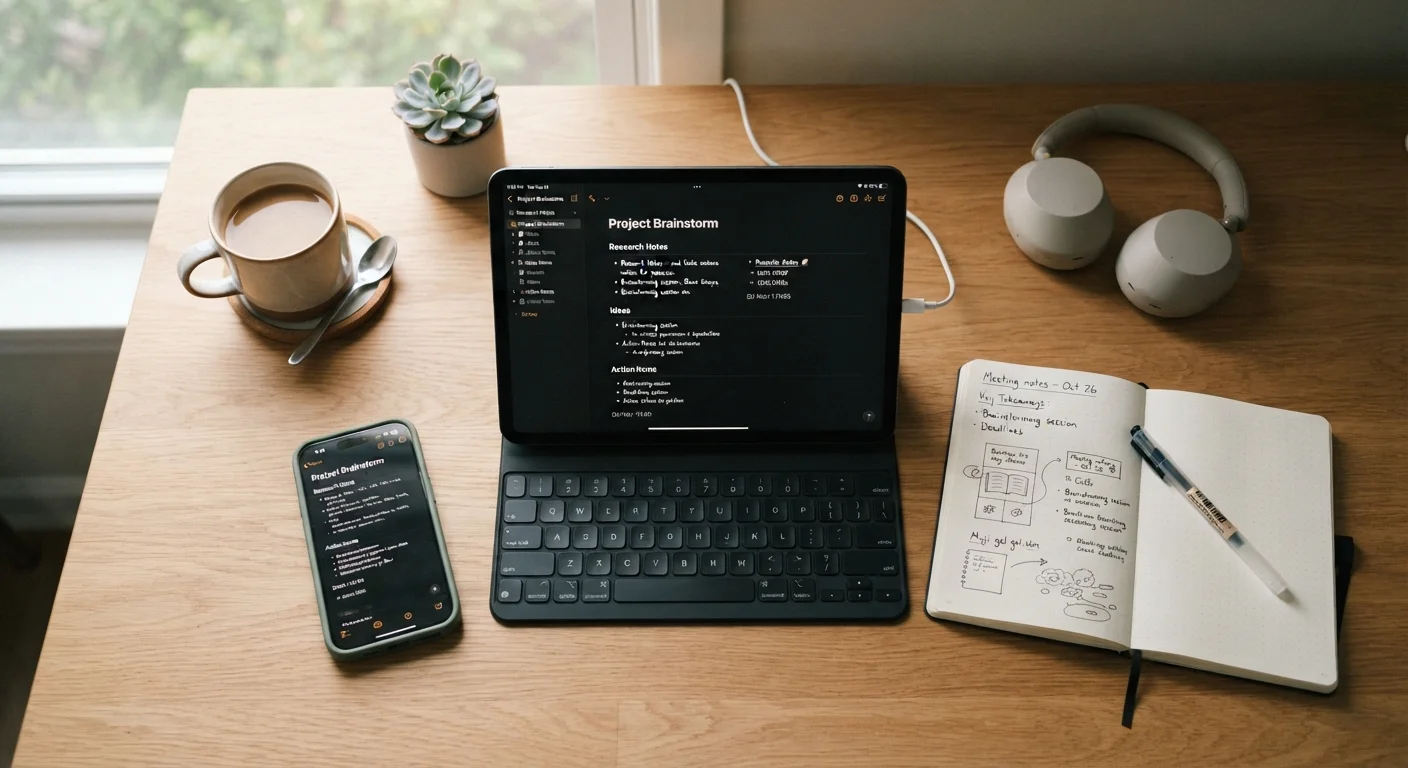
Photo: TargetReads.com | Explore Engaging Reads editorial
Key Takeaways
- Built-in notepad apps are fine for quick jottings but lack organization and cross-device access.
- Dedicated note-taking apps offer search, folders, tags, and syncing across your phone, tablet, and computer.
- The best app is the one you'll actually open — start simple and add complexity only when you need it.
- A consistent capture habit matters more than which specific app you choose.
- Most capable note-taking apps have a free tier sufficient for everyday personal use.
Why the Default Notepad Usually Isn't Enough
Every smartphone and computer ships with some version of a built-in notes app. These tools do exactly what they promise: they let you type something down quickly. But once your list of notes grows past a dozen items, their limitations become obvious.
Built-in notepads typically lack search that works well, offer no way to organize notes into folders or categories, and often don't sync reliably across your devices. A grocery list you typed on your phone won't appear on your laptop unless the app specifically supports cross-device sync — and many basic ones don't.
If you've ever lost track of an important note, found yourself scrolling through a wall of untitled entries, or wished you could find that thing you wrote down three weeks ago, you've already encountered the ceiling of a basic notepad. That's the moment a dedicated note-taking app starts to make practical sense. See our beginner's guide to modern gadgets for broader context on getting more from your devices.
What Makes a Note-Taking App Different
Dedicated note-taking apps are built around one idea: making information easy to capture and easy to find later. The distinction matters because capturing is only half the job.
Cloud sync
A process where your notes are automatically saved to the internet and made available on any device where you're signed into the same account. Changes made on your phone appear on your laptop without any manual transfer.
Tags
Labels you attach to notes so you can group related items across different folders. For example, tagging multiple notes as 'travel' lets you find them all with one search, even if they're stored in different places.
Notebook or folder
A container within a note-taking app that groups related notes together — similar to a physical binder or folder. Most apps let you create as many as you need.
Export
The ability to save your notes in a standard file format (like plain text or PDF) so you can access or move them outside the app. Useful for backups or switching to a different tool.
Free tier
The no-cost version of an app that includes a limited but often usable set of features. Many note-taking apps offer a free tier that's sufficient for personal, everyday use.
Most capable apps add several layers over a basic notepad:
- Cloud sync — your notes appear automatically on every signed-in device.
- Search — find any word or phrase across all your notes instantly.
- Organization — group notes into notebooks, folders, or with tags so related items stay together.
- Formatting — add headings, bullet lists, checkboxes, or attachments to structure your thinking.
- Sharing — send a note to someone else or collaborate in real time.
None of these features require technical skill to use. They're designed for people who simply want their information to be accessible and organized — not for power users alone.
Key Features to Look For
When evaluating any note-taking app, focus on a short list of practical questions rather than an exhaustive feature comparison.
- Does it sync across my devices? If you use a phone and a computer, this is non-negotiable.
- Is the search reliable? A good search bar is worth more than any organizational scheme.
- Is the interface something I'll actually open? An app that feels cluttered or slow is one you'll avoid.
- Can I export my notes? Portability protects your information if you ever switch apps.
- What's free vs. paid? Understand the limits of the free tier before committing to a workflow that depends on premium features.
Start With What You Already Lose Track Of
For most everyday needs — shopping lists, meeting notes, travel plans, ideas — a free-tier account on any well-maintained note-taking app is entirely sufficient. Avoid paying for features you haven't needed yet.
If you're already thinking about how digital tools fit into a broader productivity habit, this look at why productivity apps often go unused is worth reading alongside this guide.
Building a Note-Taking Habit That Sticks
The most common reason note-taking apps get abandoned isn't the app — it's the absence of a consistent habit. Here's a simple approach that works for most beginners.
Pick one entry point. Decide that all notes go into one app, regardless of what the note is about. Friction is the enemy of consistency, so don't make yourself choose between apps every time.
Start with one real use case. Don't try to move your entire life into a new app at once. Choose a single category — grocery lists, work meeting notes, or a running list of things to remember — and build from there.
Name your notes. Untitled notes become impossible to find. A short, descriptive title takes five seconds and saves minutes later.
Review occasionally. Set a loose routine — weekly or monthly — to skim your notes, delete what's irrelevant, and tidy what's grown messy. A note-taking system works better the more current it stays.
The same principle applies in other areas of life where capturing information becomes a habit. For instance, tracking where your money goes runs into exactly the same adoption challenges — the method matters less than doing it consistently.
Common Beginner Mistakes to Avoid
Most early frustrations with note-taking apps trace back to a handful of predictable patterns.
Don't Build the System Before the Habit
Over-organizing before you have content. Building elaborate folder hierarchies and tag systems before you have many notes to fill them is a common trap. Let your organizational structure emerge from your actual notes over time.
Using too many apps at once. It's tempting to try several apps simultaneously. The result is usually notes scattered across multiple places, making retrieval harder, not easier. Settle on one for at least a month before evaluating alternatives.
Relying on memory instead of capture. The whole point of a note-taking app is to offload information from your head. Get in the habit of capturing an idea the moment it occurs — even a one-line note is better than nothing.
Ignoring search. Many beginners try to organize everything into folders and rarely use search. In practice, a quick search finds information faster than navigating folder structures, especially as your note library grows.
If you're exploring how to match your digital tools to your actual work style, our comparison of tablets, laptops, and 2-in-1 devices can help you think about the right hardware alongside the right software.
Frequently Asked Questions
The content on this site is for informational purposes only and is not a substitute for professional advice. Always consult a qualified professional for guidance specific to your situation.