
Consumer Gadgets for People Who Aren't Tech-Savvy: Where to Start

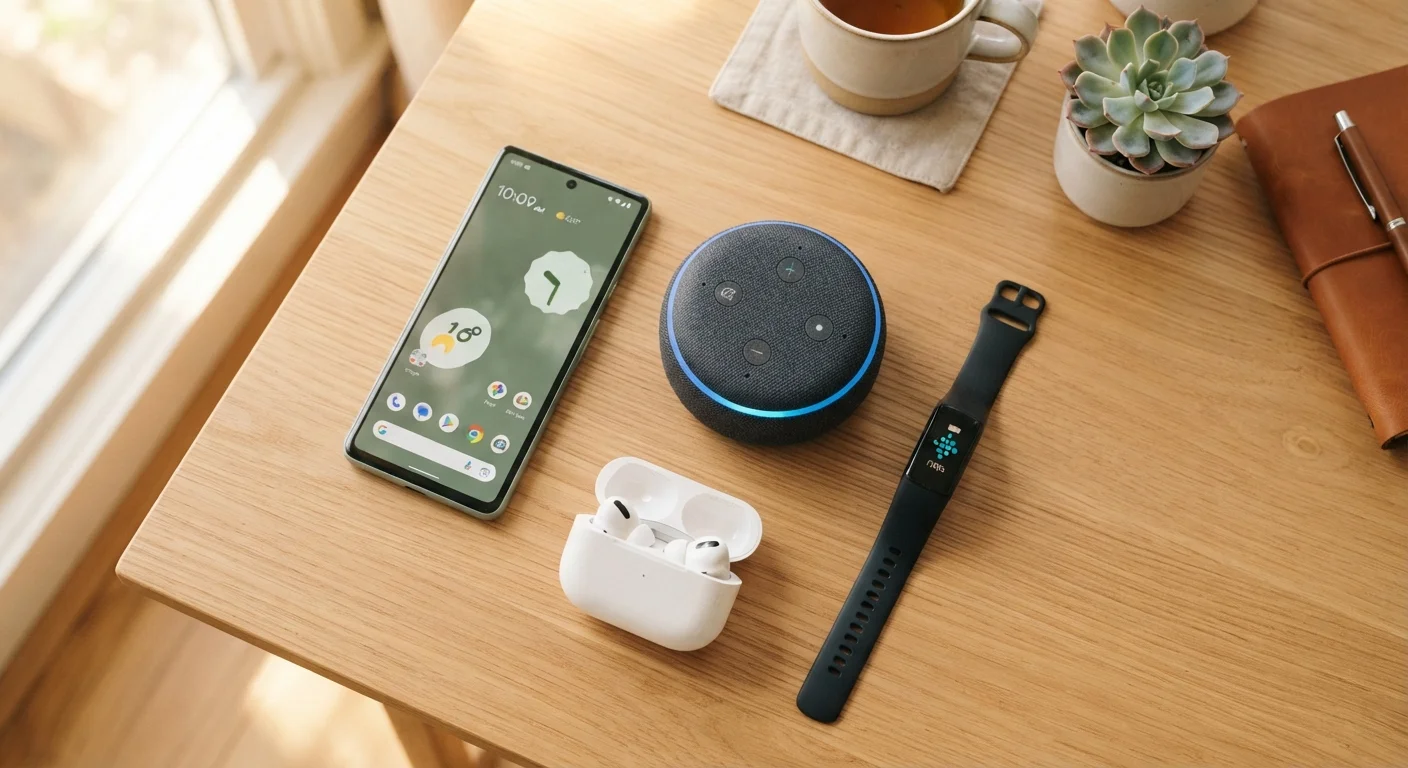
Photo: TargetReads.com | Explore Engaging Reads editorial
Key Takeaways
- Consumer gadgets are designed for everyday use — you don't need technical expertise to benefit from them.
- A handful of core concepts — connectivity, compatibility, and accounts — explain how most gadgets work.
- Matching a device to a specific, real need is the most reliable way to avoid buyer's remorse.
- Setup is usually guided and straightforward, but a few common mistakes can cause lasting problems.
- Basic security habits, like strong passwords and software updates, protect any device you own.
What 'Consumer Gadget' Actually Means
A consumer gadget is any electronic device built for personal, everyday use — as opposed to industrial equipment or professional-grade tools. Smartphones, wireless earbuds, fitness trackers, smart speakers, and streaming sticks all fall into this category. They're engineered to be used by people with no technical background, which is why most arrive with quick-start guides and app-based setup processes.
The word "gadget" sometimes carries a dismissive tone, as if these devices are novelties. In practice, many of them have become genuinely useful parts of daily life — managing reminders, supporting health awareness, or simply making home entertainment easier. The question worth asking isn't whether gadgets are worthwhile in general, but whether a specific one is worthwhile for you.
Wi-Fi
A wireless connection that links your devices to the internet through a home router. Most smart gadgets need Wi-Fi to function fully.
Bluetooth
A short-range wireless technology that lets two nearby devices — like a phone and a pair of earbuds — communicate directly without the internet.
Companion app
A free smartphone application provided by a gadget's manufacturer that lets you control, configure, or monitor the device from your phone.
Firmware
Built-in software that controls how a gadget operates. Manufacturers release updates to it over time to fix problems and improve performance.
Operating system (OS)
The underlying software that runs a device — iOS on iPhones and iPads, Android on most other smartphones. Some accessories only work with one OS.
Permissions
Settings that control what data or device features an app is allowed to access, such as your location, microphone, or contact list.
The Core Concepts That Make Gadgets Make Sense
You don't need to understand circuit boards or programming to use gadgets confidently. But a few underlying concepts appear across almost every device category, and recognizing them makes everything less confusing.
- Connectivity: Most modern gadgets connect to the internet via Wi-Fi or pair with your phone via Bluetooth. Understanding which type of connection a device needs helps you know what's required to get it working.
- Accounts: Many gadgets require you to create an account with the manufacturer or a connected service. This account stores your settings and, in some cases, your data. It's worth using a unique, strong password for each account you create.
- Companion apps: A companion app is a smartphone application that controls or configures a device. Smart plugs, fitness bands, and security cameras almost always rely on one. The app is usually free but must be compatible with your phone's operating system.
- Firmware: This is software that lives inside the gadget itself and controls how it operates. Manufacturers release firmware updates to fix bugs or improve performance. Keeping firmware current is one of the simplest ways to avoid problems.
If you're exploring apps that work alongside your gadgets, the Apps & Software hub covers popular tools and digital services in plain terms.
Matching a Gadget to a Real-Life Need
The most common reason gadgets end up unused is that they were purchased based on excitement rather than a clear, practical need. Before committing to any device, it helps to ask a direct question: What specific problem does this solve, or what specific task does it make easier?
A vague answer — "it seems useful" or "everyone has one" — is a signal to pause. A concrete answer — "I want to listen to podcasts while I walk without holding my phone" — points toward wireless earbuds with real purpose behind the purchase. Our guide on whether a gadget solves a real problem walks through this evaluation in more detail.
Try Before You Commit to a Category
For those thinking about gifting a gadget to someone else, compatibility and account requirements add another layer of consideration. A practical checklist for gifting gadgets can help you work through those questions systematically.
What to Expect When You Set One Up
Setup for most consumer gadgets follows a predictable pattern: unbox, download the companion app, create or sign into an account, and follow on-screen prompts. Manufacturers have invested heavily in making this process as guided as possible, so it's reasonable to expect a walkthrough rather than a wall of technical instructions.
That said, a few missteps during setup can cause ongoing headaches. Skipping a firmware update during initial configuration, using a weak password for your account, or connecting to the wrong network are all easy mistakes with lasting consequences. The article on common gadget setup mistakes covers the most frequent ones and how to sidestep them.
Don't Skip the Initial Update
Keeping Your Gadget Working and Secure
Once a device is set up, ongoing care is minimal but meaningful. Three habits cover the majority of what's needed:
- Keep software and firmware updated. Updates patch security vulnerabilities and fix bugs. Most devices can be configured to update automatically.
- Use strong, unique passwords. Reusing a password across multiple accounts increases the risk that a breach on one service exposes others. A password manager can help you track distinct credentials without memorizing them.
- Review app permissions periodically. Companion apps sometimes request access to data they don't need to function. Checking what each app can access — and restricting unnecessary permissions — is a straightforward security step.
For a more complete overview of everyday device security, keeping your devices secure without a cybersecurity background offers practical steps that don't require technical knowledge. And if you're considering gadgets designed specifically to support older adults, the guide on gadgets that help older adults stay independent at home is a useful next read.
Frequently Asked Questions
The content on this site is for informational purposes only and is not a substitute for professional advice. Always consult a qualified professional for guidance specific to your situation.