
Gadgets That Genuinely Help Older Adults Stay Independent at Home

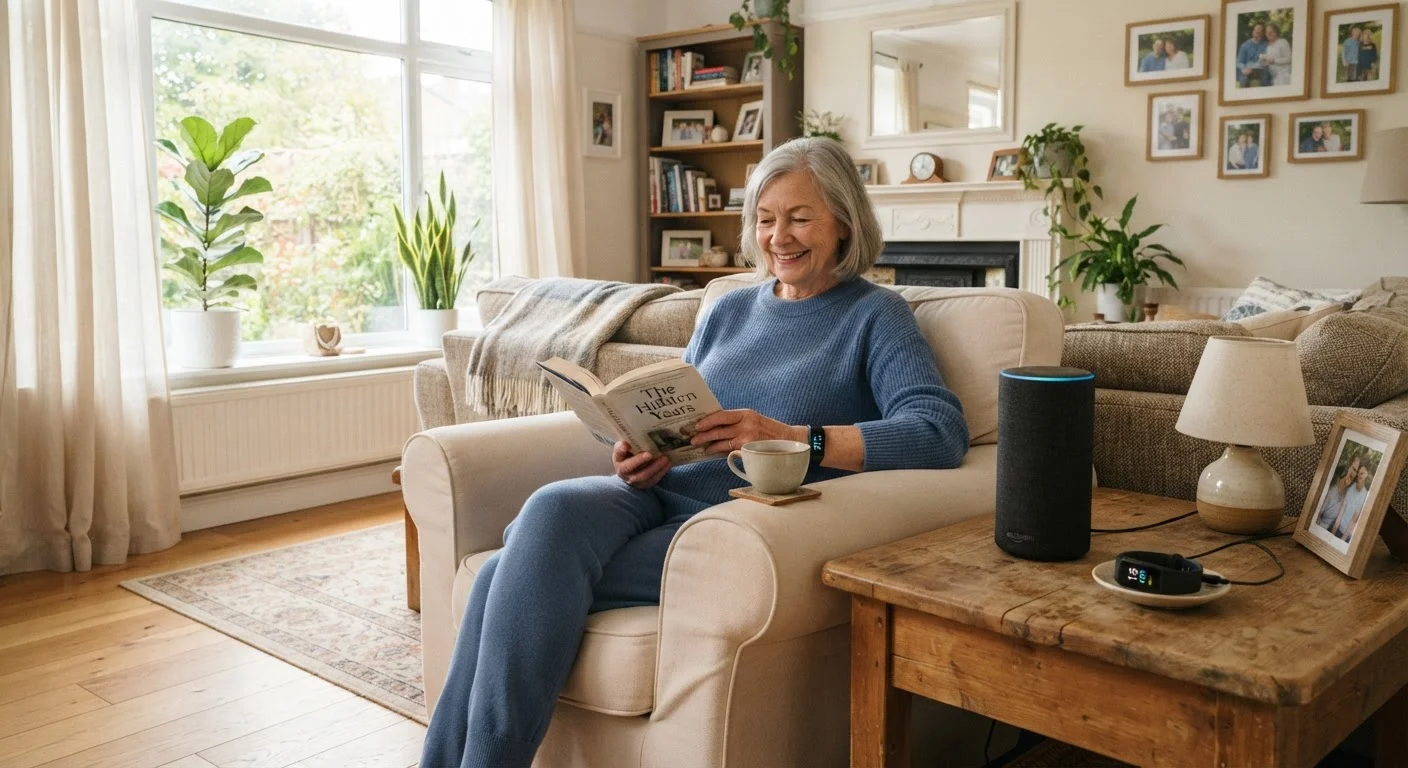
Photo: TargetReads.com | Explore Engaging Reads editorial
Key Takeaways
- Fall detection wearables can automatically alert emergency contacts without the user pressing anything.
- Voice-controlled assistants help older adults set reminders and make calls without navigating small screens.
- Medication dispensers with alerts reduce missed or doubled doses, a common and serious risk.
- Smart doorbells with large displays help identify visitors safely without opening the door.
- The best assistive gadgets are ones that fit existing habits — not ones that create new learning burdens.
When Tech Actually Earns Its Place
Most gadgets promise to make life easier but deliver complexity instead. For older adults living independently, that gap matters more than it might for anyone else. A device that requires frequent app updates, account logins, or troubleshooting can quickly go from helpful to abandoned — which is a pattern worth understanding before you buy. See our look at why gadgets often get abandoned for useful context.
The devices worth considering for older adults share a few traits: they solve a specific, real problem; they work with minimal daily interaction; and they don't require the user to become a tech expert to get value. If you're evaluating options for yourself or a family member, our framework for evaluating whether a gadget solves a real problem is a useful starting point.
Below are five categories of devices — not product endorsements, but technology types — that consistently show up in conversations about supporting independence at home.
Fall Detection Wearables
Falls are a leading cause of injury among older adults, and their danger is compounded when no one is nearby to help. Fall detection wearables — typically worn as a wristband or pendant — use accelerometers and algorithms to distinguish a fall from ordinary movement. When a fall is detected and the wearer doesn't respond to a prompt within a short window, the device automatically contacts emergency services or designated family members.
What sets newer versions apart from older personal emergency response systems is that the user doesn't need to press a button — the device acts on its own if the person is incapacitated. Some also include GPS, which is useful for people who spend time outdoors or are prone to disorientation.
The device acts automatically if the person is incapacitated — no button press needed.
Voice-Controlled Smart Assistants
Devices that respond to spoken commands have become genuinely useful for people with limited dexterity, reduced vision, or difficulty navigating small touchscreens. A voice assistant placed in a kitchen or bedroom can set medication reminders, make phone calls, play music, answer general questions, and control compatible smart home devices — all without the user touching anything.
The key limitation to understand: these devices require a stable Wi-Fi connection and occasional setup by someone comfortable with the underlying app. Once configured, though, day-to-day use can be almost entirely hands-free, which is where their real value lies for older users.
Once configured, day-to-day use can be almost entirely hands-free.
Automatic Medication Dispensers
Missing a dose or accidentally taking a double dose of medication is a common and potentially serious problem, particularly for people managing multiple prescriptions. Automatic medication dispensers are pre-loaded (often weekly, by a caregiver or family member) and release the correct compartment at the scheduled time, accompanied by a visible or audible alert.
Some models connect to an app and notify a family member if a dose is not retrieved within a set window. This is a practical middle ground between full caregiver supervision and complete independence — the device handles the logistics so the person doesn't have to hold a complex schedule in memory.
The device handles the logistics so the person doesn't have to memorize a complex schedule.
Video Doorbells with Large Displays
Answering the door can be a safety decision. Video doorbells allow the resident to see and speak with whoever is outside before opening the door — or without going to the door at all. For older adults with limited mobility, this removes the physical risk of rushing to the entrance and the safety risk of opening the door to someone unfamiliar.
Paired with an indoor display screen that shows the camera feed automatically when someone rings, the setup requires very little active navigation. The person simply looks at the screen and decides whether to respond. Some systems allow remote family members to view and communicate through the doorbell as well, adding a layer of oversight without requiring the resident to manage the technology themselves.
A video doorbell turns a safety decision into a simple, low-effort visual check.
Smart Lighting with Motion Activation
Nighttime navigation is one of the most common contexts for falls at home. Smart lighting systems that activate automatically when motion is detected — particularly in hallways, bathrooms, and stairwells — reduce the need to find and flip switches in low-light conditions. Many systems can be set to activate at specific times or only when ambient light drops below a threshold.
Installation ranges from simple plug-in night lights with motion sensors (no setup required beyond plugging in) to networked smart bulbs that integrate with a home automation system. For most older adults, the simpler, standalone options deliver the most reliable value with the least friction.
Simpler, standalone motion-activated lights often deliver more reliable value than complex networked systems.
Making a Thoughtful Choice
Before purchasing any of these devices, consider whether the person who will use them has had input in the decision. Gadgets chosen without input from the intended user are more likely to go unused — or worse, to feel like surveillance rather than support.
Start With One Device, Not Five
If you're helping a family member set up new technology, the beginner's guide to consumer gadgets can help bridge the knowledge gap without overwhelming anyone. And if you're considering a device as a gift, it's worth working through the practical checklist for gifting gadgets first — account requirements and return policies matter more than the unboxing experience.
Independence isn't just about safety — it's also about dignity. The right technology fades into the background, doing its job without demanding attention. That's the standard any device in this space should be held to.
This article is for general informational purposes only. It does not constitute medical, legal, or financial advice. Consult a qualified healthcare professional for guidance on assistive devices suited to a specific individual's health needs.
The content on this site is for informational purposes only and is not a substitute for professional advice. Always consult a qualified professional for guidance specific to your situation.