
App Permissions on Your Phone: A Field Guide to What Each One Actually Means

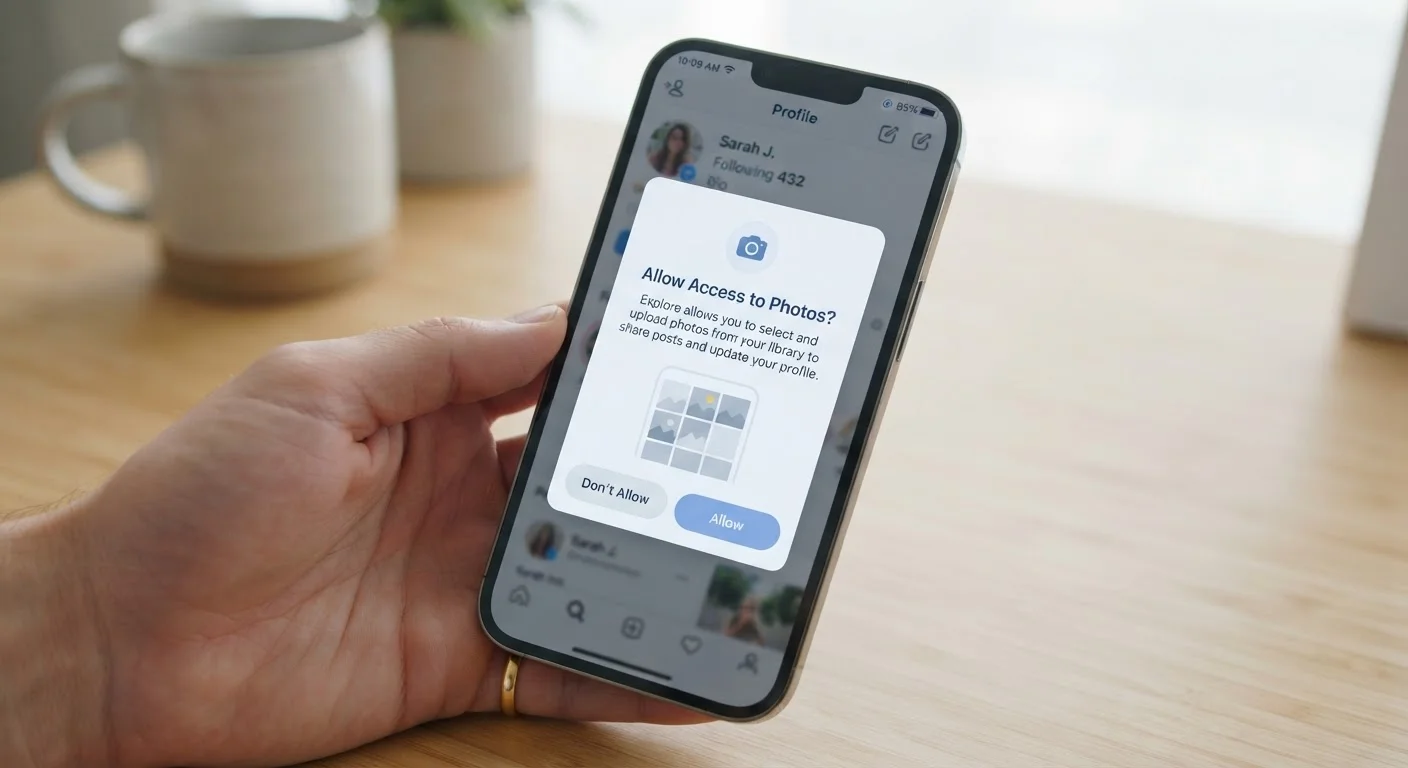
Photo: TargetReads.com | Explore Engaging Reads editorial
Why App Permissions Matter More Than Most People Realize
Every time you install a new app, your phone may present a series of permission prompts — small pop-ups asking whether the app can access your camera, location, contacts, and more. Most people tap "Allow" without a second thought. That's understandable, but each approval hands over a meaningful piece of your phone's capability to a third-party developer.
Permissions aren't inherently sinister. A navigation app genuinely needs your location; a video-calling app truly requires your camera and microphone. The concern arises when an app requests access that doesn't match its stated purpose — a flashlight app asking for your contacts list, for example, is a mismatch worth questioning.
Both Android and iOS now give users granular control over permissions, and both let you review or revoke them at any time through your phone's Settings menu. Understanding what each permission actually does is the first step to making informed choices. For a related look at how another always-on feature affects your device, see how background app refresh affects battery and data.
| Where to review permissions on iPhone | Settings → Privacy & Security → select any category to see which apps have access |
| Where to review permissions on Android | Settings → Privacy → Permission Manager → select a permission type to audit by app |
| Can you revoke a permission after granting it? | Yes — on both iOS and Android, permissions can be revoked at any time without uninstalling the app |
| Location tiers available (iOS & Android) | Never / Ask next time / While using the app / Always (Android also adds Approximate vs. Precise) |
| Most sensitive permissions to watch | Microphone, Camera, Location (Always), SMS, Contacts, Body Sensors |
| Camera/microphone indicator | A green dot (iOS) or icon (Android 12+) appears when either is actively in use |
The Most Common Permissions, Decoded
Here's what each major permission category actually enables — and the kinds of apps that legitimately need it.
Permission
A system-level gate that controls whether an app can access a specific hardware feature or data source on your phone. The operating system enforces these gates; the app cannot bypass them without your approval.
Granular control
The ability to set permissions at a fine-grained level — for example, allowing location access only while an app is open, rather than always. Both iOS and Android have expanded granular controls in recent versions.
Background access
Permission that remains active even when you're not actively using the app. Background location, for instance, lets an app track your position while it runs silently in the background.
Precise vs. approximate location
Precise location uses GPS to pinpoint your exact position; approximate location returns only a general area (typically within a mile or so). Many apps function perfectly well with approximate location.
Runtime permission
A permission the app requests at the moment it needs it, rather than at install time. Both iOS and modern Android use runtime permissions, meaning you can decline without uninstalling the app.
Two-factor authentication (2FA)
A login security method that requires a second verification step beyond your password, often a code sent by SMS. Apps with SMS permission can theoretically read these codes, which is why that permission is sensitive.
Storage / Files
Grants the app read and/or write access to files on your device. A photo-editing app needs this to save your work. A game that asks for broad file access with no clear reason deserves skepticism.
Contacts
Allows the app to read your address book — names, phone numbers, emails. Messaging and email apps have a clear use case. Social apps sometimes use this to suggest connections, but that data is then typically uploaded to their servers.
Call Log / Phone
Lets the app see your call history or, in some cases, manage calls directly. Very few everyday apps need this; legitimate uses include certain caller-ID or VoIP apps.
SMS / Messaging
Enables the app to read or send text messages. Two-factor authentication apps and default messaging apps are the primary legitimate users. This is a sensitive permission — an app that can read your SMS can potentially intercept one-time login codes.
While you're thinking through your app ecosystem, it's also worth doing a periodic audit. Our guide on subscription app creep walks through how to surface apps you've forgotten about entirely.
Sensitive Permissions That Deserve Extra Scrutiny
Location
Modern phones offer tiered location access: precise location (GPS-level accuracy), approximate location (neighborhood-level), only while using the app, or always (including in the background). Navigation, weather, and local search apps have clear needs. Be cautious about granting background location to apps where it provides no obvious benefit to you.
Camera
Gives the app control of your device's camera hardware. Video-calling, QR-code scanning, and photo apps legitimately need this. On both iOS and Android, the camera indicator light or icon activates when the camera is in use, providing a basic transparency signal.
Microphone
Allows the app to record audio through your device's microphone. Voice assistants, podcast apps, and video-calling platforms have genuine needs here. For a deeper look at how always-on audio capture works in a related context, see how smart speakers handle voice data.
Bluetooth & Nearby Devices
Grants access to discover and connect with nearby Bluetooth devices. Fitness trackers, wireless headphones, and smart-home apps typically need this. On Android 12+, this permission is separate from location, which is a meaningful privacy improvement.
Body Sensors / Health Data
Allows access to sensor data like heart rate from a wearable. Fitness and health tracking apps use this, but it represents some of the most personal data your device can collect. Review these permissions carefully and understand how the developer's privacy policy handles that data.
Permissions Don't Guarantee What Happens Next
The content on this site is for informational purposes only and is not a substitute for professional advice. Always consult a qualified professional for guidance specific to your situation.